
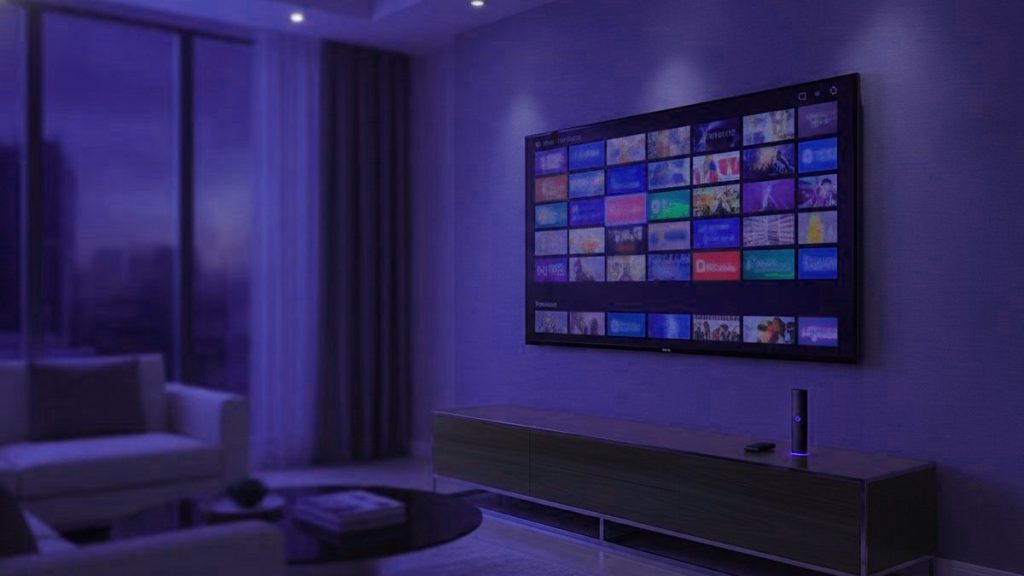
IPTV skips the coax cable, the rooftop aerial and the satellite dish entirely, carrying television over the very broadband connection sitting in your home right now. You open a player app, type in the credentials your provider hands over, and from then on every channel arrives as plain internet traffic — the same kind of data a FaceTime call is made of. Conceptually, that really is the entire story. Everything below is about the gap between a subscription worth keeping and one you end up resenting.
The short version
Traditional broadcasting blasts all its channels at every home around the clock, whether anyone is watching or not. IPTV flips that: it stays quiet until you request something, then sends just the one channel you chose, to you specifically. Almost everything else about the technology follows from that single difference.
The moment you tap a channel
Selecting a channel makes your app reach out to a server, which replies by streaming back that one feed and nothing else, chopped into short numbered pieces lasting a few seconds apiece. Nothing shows on screen until the player has quietly collected several of these pieces in advance, and it carries on refilling that reserve for as long as you keep watching, playing from the stash rather than straight off the wire.
People call that reserve the buffer, and the instant you understand it, most complaints about IPTV click into place. As long as it stays topped up, the picture holds. Should the connection stutter or the server get overloaded, the buffer drains faster than fresh pieces arrive — and the second it hits empty, playback stops dead. Buffering, then, isn’t the channel breaking; it is just the player waiting, with nothing queued up to show.
Two identical setups, two different experiences
Put two Vancouver households on precisely the same Telus or Shaw package and hand them the identical service, and their results can diverge dramatically — and the broadband is rarely the culprit.
- Server load. A provider pricing itself below everyone else has cut corners on capacity, and that gap shows up the moment a Leafs game kicks off. Nothing altered on your side; the queue ahead of you simply got longer.
- Backup bitrates on a channel. When Hockey Night streams in 4K, HD and SD, there is always a lower step to drop onto. Send it at one fixed bitrate and you get everything or nothing.
- Server distance. A feed dragged across an ocean runs into vastly more opportunities to stall than one that only travels from Toronto to Montréal.
- Your line’s real behaviour at 9pm midweek, which has little to do with the number printed on your Bell statement.
This is exactly why testing on a sleepy Monday morning proves nothing. Servers half-empty, every provider comes across as slick — which is precisely why the shrewd approach is to trial one during the nastiest, most congested hour you can arrange.
How it differs from Netflix
| Streaming services | IPTV | |
|---|---|---|
| What you get | An on-demand library of finished films and series | Live scheduled channels, plus a library on the side |
| Live sport | Barely any | The main reason people subscribe at all |
| Breaking news | Rarely | Yes — multiple countries’ feeds side by side |
| Programme guide | Not applicable | Yes, the classic channel grid layout |
The two solve different problems. Think of Netflix as today’s video rental shop, while IPTV takes the place of a cable or satellite bundle. Which explains why the people switching over are usually the ones who only kept paying Rogers or Bell for the hockey, the Blue Jays and the nightly news anyway.
The kit you’ll want
A connection that holds firm. Budget for something like 25 Mbps if 4K is the goal, roughly 10 for HD. Consistency beats a flashy top speed here, since it is the dropouts that upset the buffer, not the average throughput. Where the Wi-Fi is weak near the television, a cheap Ethernet adapter fixes more headaches than anything else you could try.
A device to host the player. A 2016-or-newer Samsung or LG smart TV, an Apple TV, an Android box, a Fire TV Stick, a laptop, or a MAG or Formuler unit will each handle it — chances are you already own one, bought from Best Buy Canada or Amazon.ca.
The player app. For the majority that comes down to IPTV Smarters Pro or TiviMate. Each arrives totally empty, carrying zero channels until you load a subscription into it — and that, more than anything, is what catches newcomers out on their first day.
A subscription. Here is the part that costs money and the part that sets the quality. Everything layered on top is off-the-shelf hardware and free software.
Cutting through the jargon
An Xtream Codes login comes down to three things: a server address, a username and a password. Most players in current use ask for exactly those and figure out the rest themselves. It is the easier route, and the one we issue by default.
An M3U link bundles those very credentials into a single lengthy web address with the details bolted on as parameters, and it fits players built around a playlist file, such as VLC and Kodi. Treat it as carefully as a password, because functionally that is what it is.
The EPG is the programme guide you see on screen. Keeping it correct across thousands of channels is thankless, endless graft that earns an operator no glory — and for that exact reason, whether it exists quietly reveals how tightly the whole operation is run.
Is any of this legal?
The technology itself is entirely legal and thoroughly commonplace; there is a decent chance your own phone company is built on it. The sharper question is whether a specific provider genuinely holds the distribution rights to what it sells, and in this market you often cannot tell from the outside. Our legality page confronts that directly rather than dodging it.
Sizing up a provider
- A free trial — used during a busy evening slot, never a quiet morning.
- Pricing shown openly. If you have to message them for a figure, the figure you get is tailored to you.
- Written refund terms, with a specific number of days stated.
- Support that answers before you have paid a cent. However responsive it is now is the best you will ever see.
- A real website. Sellers operating solely from one social media profile can vanish overnight, and many do.
Ours are laid out on the pricing page and the trial page; measure us against the very yardstick you would apply to anyone. Once you hold a login, the setup guides take you through each device, and the journey from payment to your first live channel typically wraps up in under fifteen minutes.
Frequently asked questions
In plain language, how does IPTV do its job?
A provider captures TV channels, compresses them into streams the internet can carry, and holds them on servers. Your player logs in with a server address, a username and a password, and when you open a channel that one feed travels to you and no one else. Imagine a plain YouTube clip pointed at live TV and you have grasped the entire mechanism.
Isn't this just Netflix or YouTube TV wearing a different label?
Technically all three push television over internet protocol, so at that level yes. The difference is that Netflix and YouTube TV are sealed gardens, each locked to its own app and its own licensed catalogue, while an IPTV login stays open and slots into whatever compatible player you prefer, carrying far more live channels. And a plan never includes Netflix itself — only, now and then, a title that also happens to appear in Netflix's library.
Do I need to buy a dedicated box?
Not at all. Anything capable of running a player app works: a Samsung or LG smart TV, an Apple TV, an Android box, a Fire TV Stick, an iPhone, an Android phone, a Windows laptop or a Mac. Dedicated units like Formuler or MAG are purely optional, bought mostly for a neater remote and guide experience.
What connection speed should I have?
Around 8 Mbps keeps a single HD stream happy, roughly 25 Mbps handles one 4K feed, and you'll want close to 30 Mbps if two TVs are running together. A steady line matters more than a large advertised number, and running Ethernet directly to the TV device removes most of the freezing that Wi-Fi tends to cause.
Why do free IPTV playlists always stop working?
A free M3U link is a single account shared among thousands of strangers simultaneously. Either the server blocks it or it simply cannot supply everyone, so channels collapse within days and anything still alive locks up the instant a popular event airs. Paying gets you a private account on servers designed for peak-hour demand — that is precisely what you are paying for.
Bottom line, is IPTV legal in Canada?
The technology is legal everywhere, and licensed platforms like YouTube TV and CBC Gem are themselves IPTV. What actually counts is whether a particular provider truly holds distribution rights for what it carries, which differs from one to the next. In Canada enforcement targets operators, while the notice-and-notice regime means a viewer might get a forwarded warning. Our legality guide runs through exactly where matters stand.
Planning to catch the hockey this weekend?
Send one message on WhatsApp and the subscription is running under 15 minutes — quoted in US dollars, with no contract and 7 days to think again.
Keep reading
Best IPTV for NFL and NBA in Canada 2027: Watch It All
Quick answer: The best IPTV for NFL and NBA in Canada in 2027 carries every Sunday football game, the Raptors and the…
1 November 2026Best IPTV for NHL Hockey in Canada 2027 Without Cable
Quick answer: The best IPTV for NHL hockey in Canada in 2027 carries Saturday-night games, out-of-market teams and the full playoffs without…
1 November 2026Best IPTV in Canada 2027: A Sports-First Buyer’s Guide
Quick answer: The best IPTV in Canada for 2027 carries the sport Canadians actually watch — NHL, the Raptors and the NBA,…